BCX_LOADIMAGE function
Purpose:
BCX_LOADIMAGE function returns the handle of a .bmp, .gif, .jpg, .wmf, .emf, or .ico image, loaded from a file or loaded as a resource.
Syntax 1:MyhBmp = BCX_LOADIMAGE(FileName AS STRING) ' load from a file Return Value:
Parameters:
|
Syntax 2:MyhBmp = BCX_LOADIMAGE("", Resource AS INTEGER) ' load from EXE resources Return Value:
Parameters:
|
Example 1:
The example below loads and displays an image file.
GUI "Form1", PIXELS

GLOBAL Form1 AS HWND

SUB FORMLOAD()
  Form1 = BCX_FORM("LoadImage from File", 0, 0, 400, 338)
  CENTER(Form1)
  SHOW(Form1)
END SUB

BEGIN EVENTS
  SELECT CASE CBMSG
  CASE WM_PAINT
    LoadAndDisplayResource(Form1)

  CASE WM_DESTROY
    PostQuitMessage(0)
    RETURN 0

  END SELECT
END EVENTS

SUB LoadAndDisplayResource(HndlWnd AS HWND)
  DIM AS PAINTSTRUCT ps
  DIM AS HDC hdcPaint = BeginPaint(HndlWnd, &ps)
  DIM AS HDC hdcMem = CreateCompatibleDC(hdcPaint)

  DIM AS HBITMAP HndlBmp = BCX_LOADIMAGE("image.jpg")

  SelectObject(hdcMem, HndlBmp)

  DIM AS BITMAP TheBitmap
  GetObject(HndlBmp, SIZEOF(BITMAP), &TheBitmap)

  BitBlt(hdcPaint, 0, 0, TheBitmap.bmWidth, TheBitmap.bmHeight, hdcMem, 0, 0, SRCCOPY)

  DeleteDC(hdcMem)
  DeleteObject(HndlBmp)

  EndPaint(HndlWnd, &ps)
END SUB
Example 2:
Save the example code below as bcx_loadimage.bas. The example will load, into a window, from a resource file, this image:
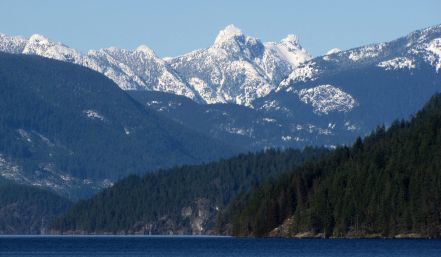
Click here to download a .zip containing the image.jpg resource.
Extract it to the same directory as bcx_loadimage.bas.
Save the following batch file, as Build.bat, into the same directory as bcx_loadimage.bas and run Build.bat to compile and run the example.
Build.bat Compilation Batch file:
CALL povars64.bat
bc bcx_loadimage
bcx_loadimage.bas
GUI "BCX_LOADIMAGE", PIXELS

$IPRINT_OFF

$RESOURCE "$PELLES$\bin\porc.exe"

$COMPILER "$PELLES$\Bin\pocc -W1 -Gd -Go -Ze -Zx -Tx64-coff $FILE$.c"

$LINKER "$PELLES$\Bin\polink _
                    -release _
                -machine:X64 _
          -subsystem:windows _
             -OUT:$FILE$.exe _
                  $FILE$.obj _
                  $FILE$__.res"

$ONEXIT "$FILE$.exe"

BCX_RESOURCE 1234 RCDATA "image.jpg"

GLOBAL Form1 AS HWND

SUB FORMLOAD()
  Form1 = BCX_FORM("LoadImage Using BCX_Resource Demo", 0, 0, 400, 338)
  CENTER(Form1)
  SHOW(Form1)
END SUB

BEGIN EVENTS
  SELECT CASE CBMSG
  CASE WM_PAINT
    LoadAndDisplayResource(Form1)

  CASE WM_DESTROY
    PostQuitMessage(0)
    RETURN 0

  END SELECT
END EVENTS

SUB LoadAndDisplayResource(HndlWnd AS HWND)
  DIM AS PAINTSTRUCT ps
  DIM AS HDC hdcPaint = BeginPaint(HndlWnd, &ps)
  DIM AS HDC hdcMem = CreateCompatibleDC(hdcPaint)

  DIM AS HBITMAP HndlBmp = BCX_LOADIMAGE("", 1234)

  SelectObject(hdcMem, HndlBmp)

  DIM AS BITMAP TheBitmap
  GetObject(HndlBmp, SIZEOF(BITMAP), &TheBitmap)

  BitBlt(hdcPaint, 0, 0, TheBitmap.bmWidth, TheBitmap.bmHeight, hdcMem, 0, 0, SRCCOPY)

  DeleteDC(hdcMem)
  DeleteObject(HndlBmp)

  EndPaint(HndlWnd, &ps)
END SUB